
Nuviro Labs Get NextDose

NextDose · Android

Your prescription.
Your reminders.
Your review first.

Start with a photo. Check every detail.

NextDose prepares a reminder draft from your prescription photo. Review each medicine, dose and time, correct any mistakes, then confirm before alerts begin. Manual entry is available too.

Get it on Google Play
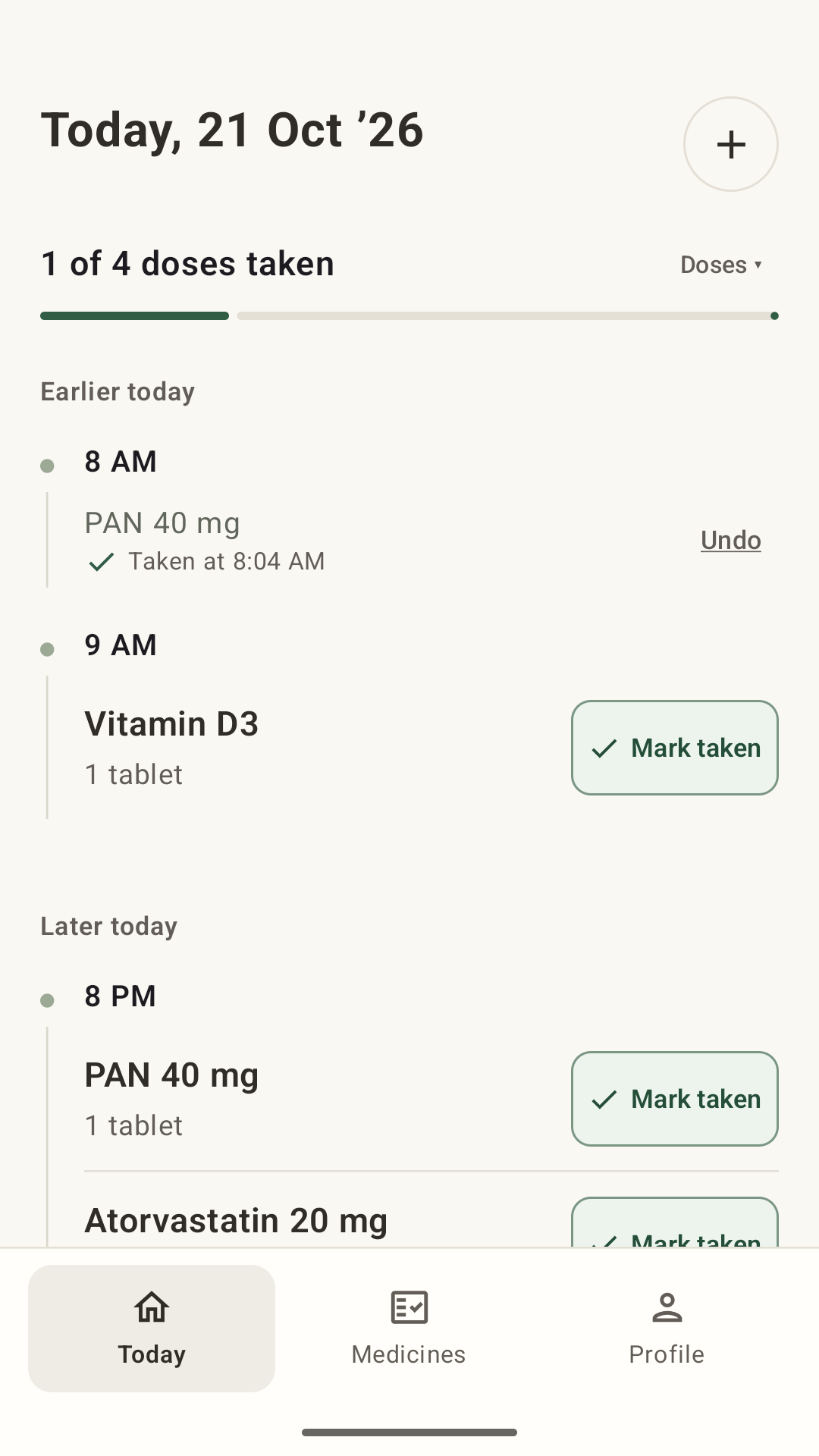
NextDose Today screen with a recorded Taken time and Undo

How it works

A reminder plan that stays with your real life.

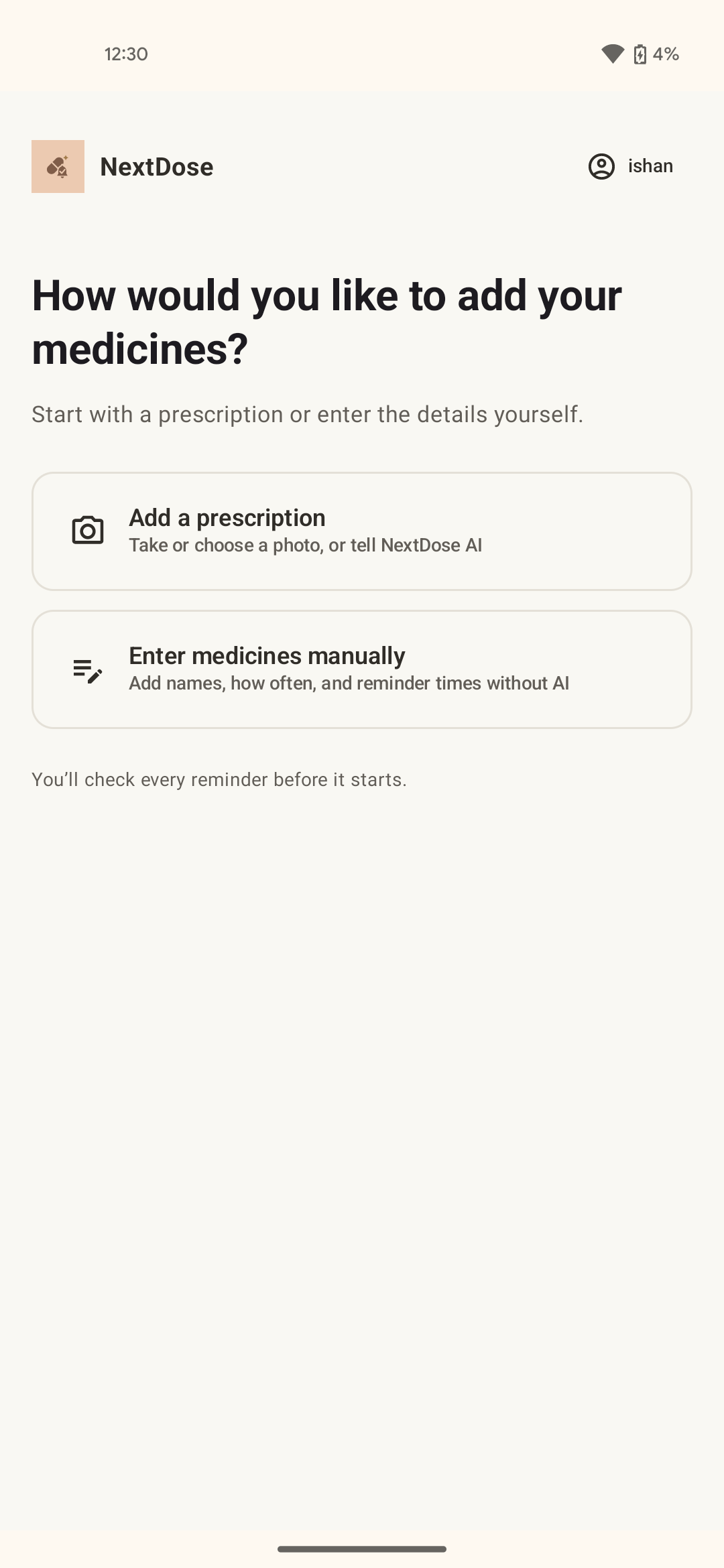
NextDose Add medicines screen offering prescription photo or manual entry

01 · Add or change

Start with the prescription you already have.

Take or upload a prescription photo, or add medicines manually without AI. When instructions change, edit them yourself or type the prescribed change, then review before saving.

02 · Check

Check every medicine before reminders begin.

NextDose prepares a draft from the details you provide. Review and edit each medicine, dose and schedule before you confirm your reminder plan.
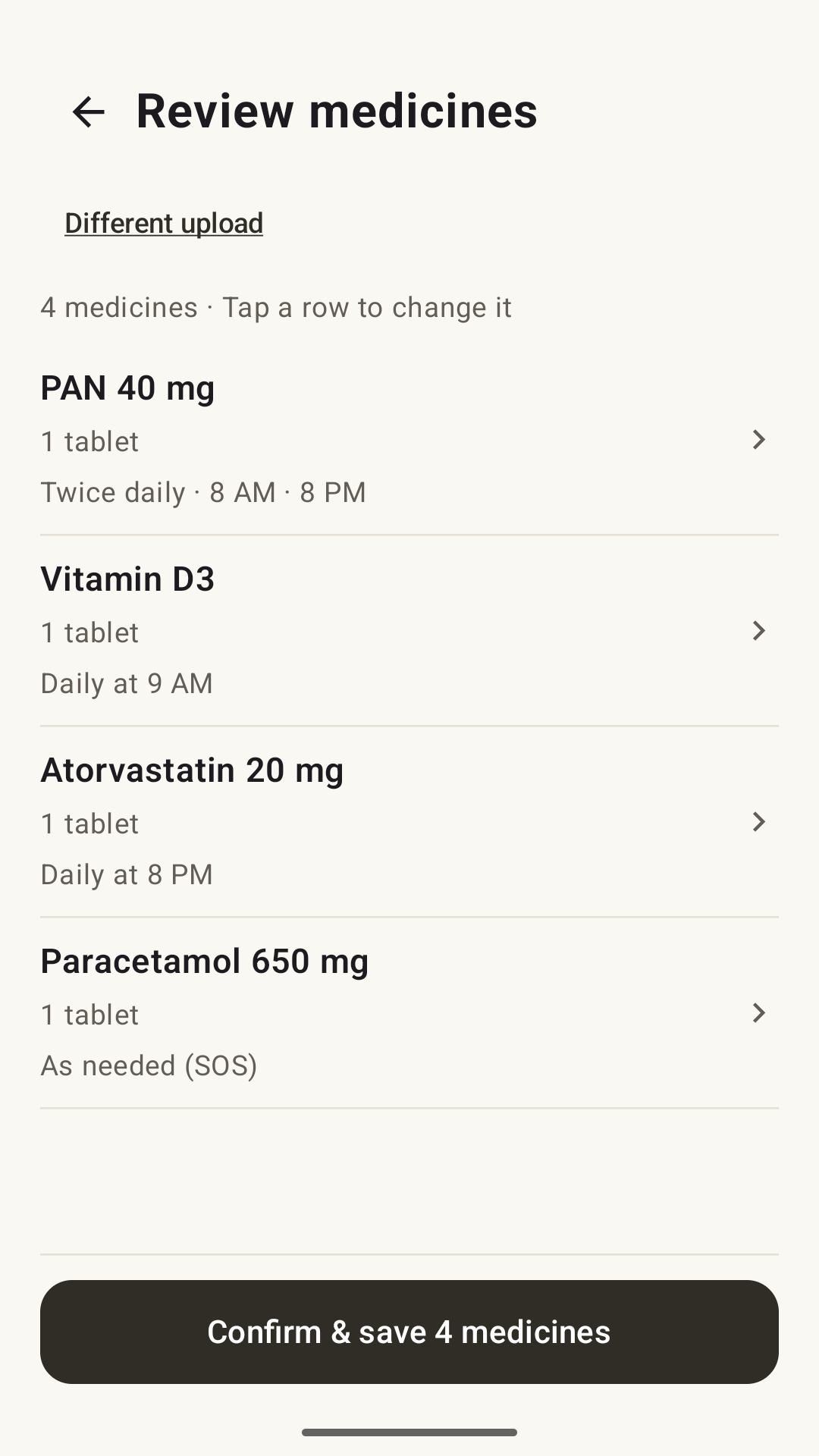
NextDose Review medicines screen with a medicine list and Confirm and save
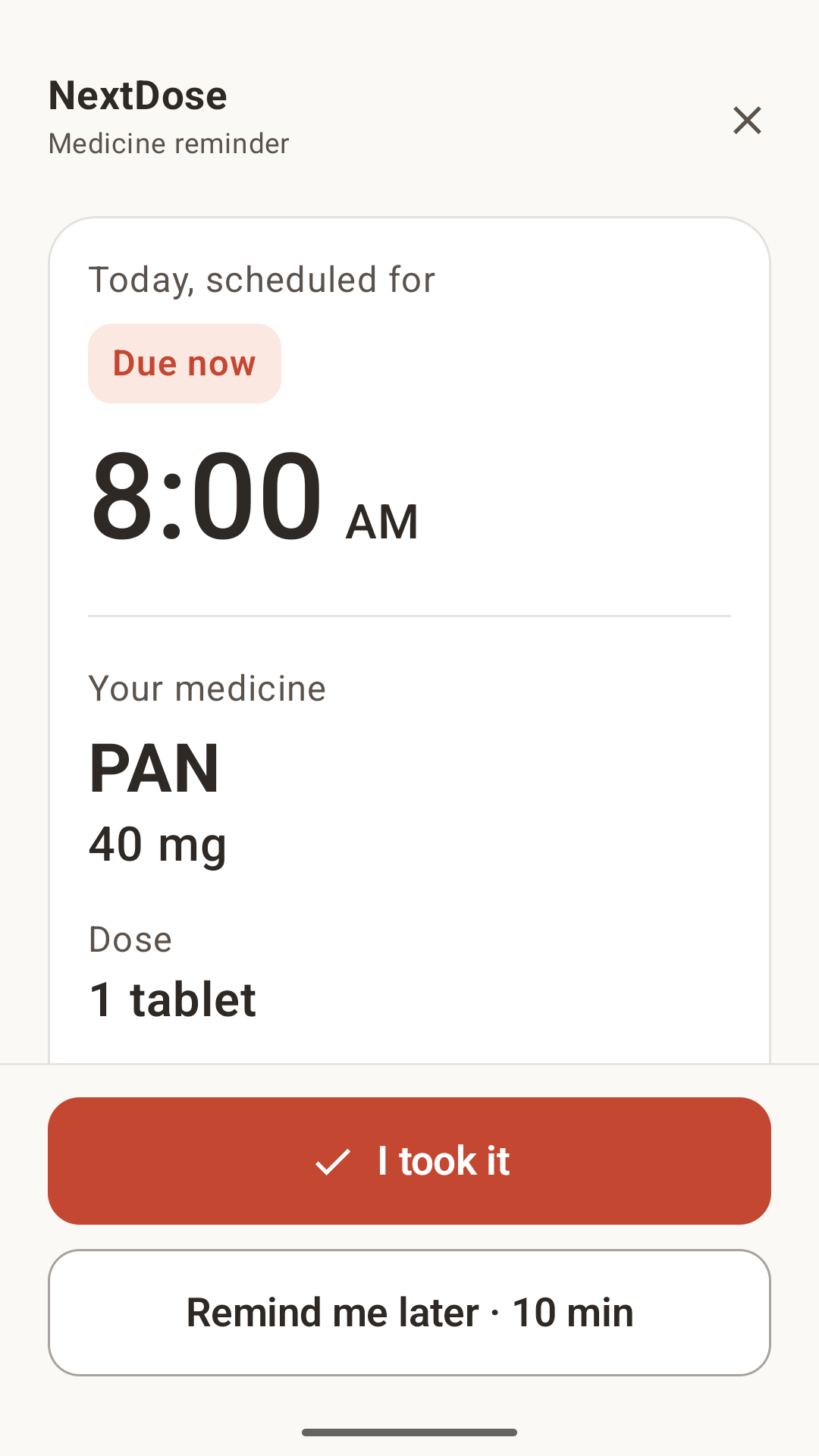
NextDose medicine reminder with I took it and Remind me later actions

03 · When it is due

A reminder you can act on.

Choose notifications or full-screen medicine alarms where Android and your permissions allow. Record a dose or snooze for another reminder. In Today, see when you marked a dose as taken and undo an accidental tap.

Reminder delivery depends on Android permissions and device settings.

Questions, answered

Before you begin.

Can NextDose read a prescription photo?
NextDose can use a submitted prescription photo to prepare a reminder draft. Review and correct the medicine details before confirming; manual entry is also available.
Do reminders start automatically?
No. Review and edit the draft, then confirm the reminder plan before reminders begin.
What if my instructions change?
Edit the medicine yourself or tell NextDose about the change. Check the updated details before saving.
Can NextDose tell me what to take?
No. NextDose is a reminder tool and does not provide medical advice or decide what you should take.
Is NextDose available for Android?
Yes. NextDose is available for Android through Google Play.
Can I set a weekly or every-few-days reminder?
Yes. Set the schedule you were given, including weekly or every-few-days reminders. Review it before confirming. For a short course, you can set an end date.
What does a Taken entry mean?
It records the action you entered in NextDose. Today shows when you marked a dose as taken, with Undo for an accidental tap. The app does not verify ingestion.
Does NextDose show ads?
NextDose is ad-free and does not send promotional notifications.
Where does my prescription data go?
Your confirmed plan and dose records are stored on your phone. When you use AI, the photo or details you submit are sent to NextDose’s service and Google Gemini to prepare a draft. See the privacy policy for data processing, retention and account information.

Practical limits

A reminder tool, with your review first.

Review your prescription before confirming reminders. NextDose is a reminder tool, not medical advice.

It does not tell you whether to start, stop or change a medicine. For questions about your prescription, speak with an appropriate healthcare professional.

NextDose for Android

Less to keep in your head.

Get it on Google Play