01 · Set it up
A photo gets your plan started.
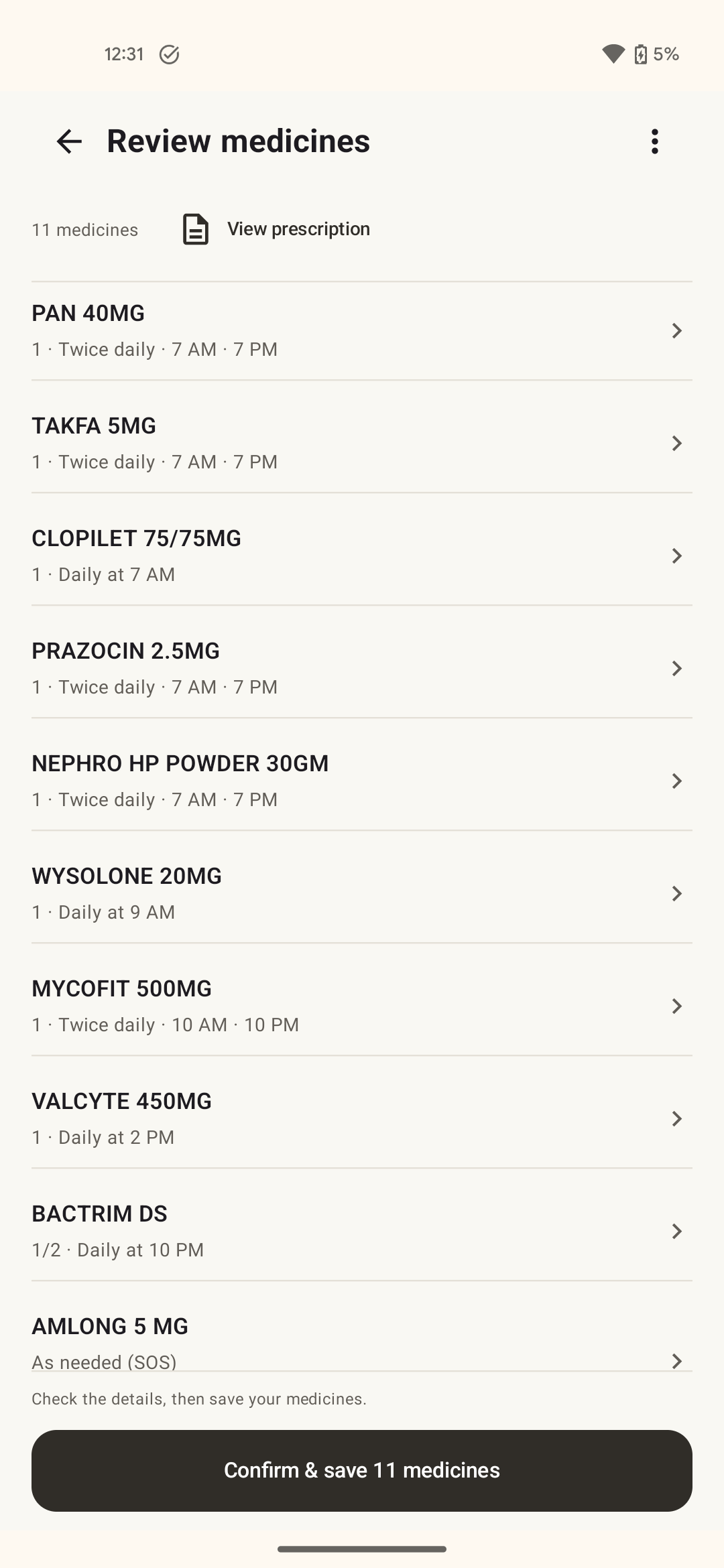
Take or upload your prescription. NextDose puts the medicine details into a reminder plan for you to check and save. You can enter them yourself, too.

Looking for a Medisafe alternative? · Android
Take a photo. Check the plan. Know which medicine is due and when. If your dose changes, just send a message and confirm the update.
Get it on Google PlayFree to use. No ads.
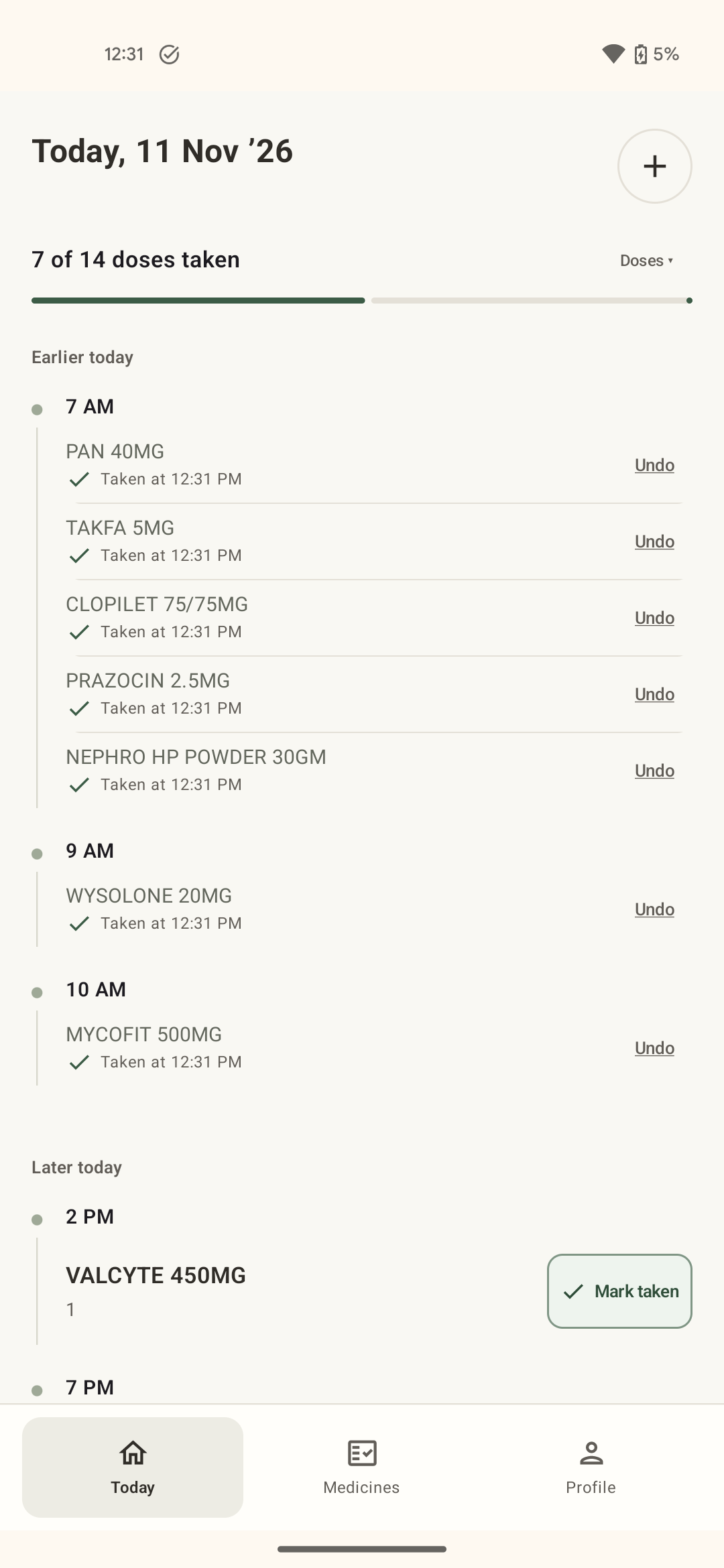
NextDose · actual app screen
Start with a prescription photo
Update changes with a message
See what's due and marked taken
Less setup. Less to keep in your head.
01 · Set it up
Take or upload your prescription. NextDose puts the medicine details into a reminder plan for you to check and save. You can enter them yourself, too.
02 · Keep it current
Type the prescribed change. Check the updated details and save. Keep your reminders in step with your prescription without rebuilding the whole plan.
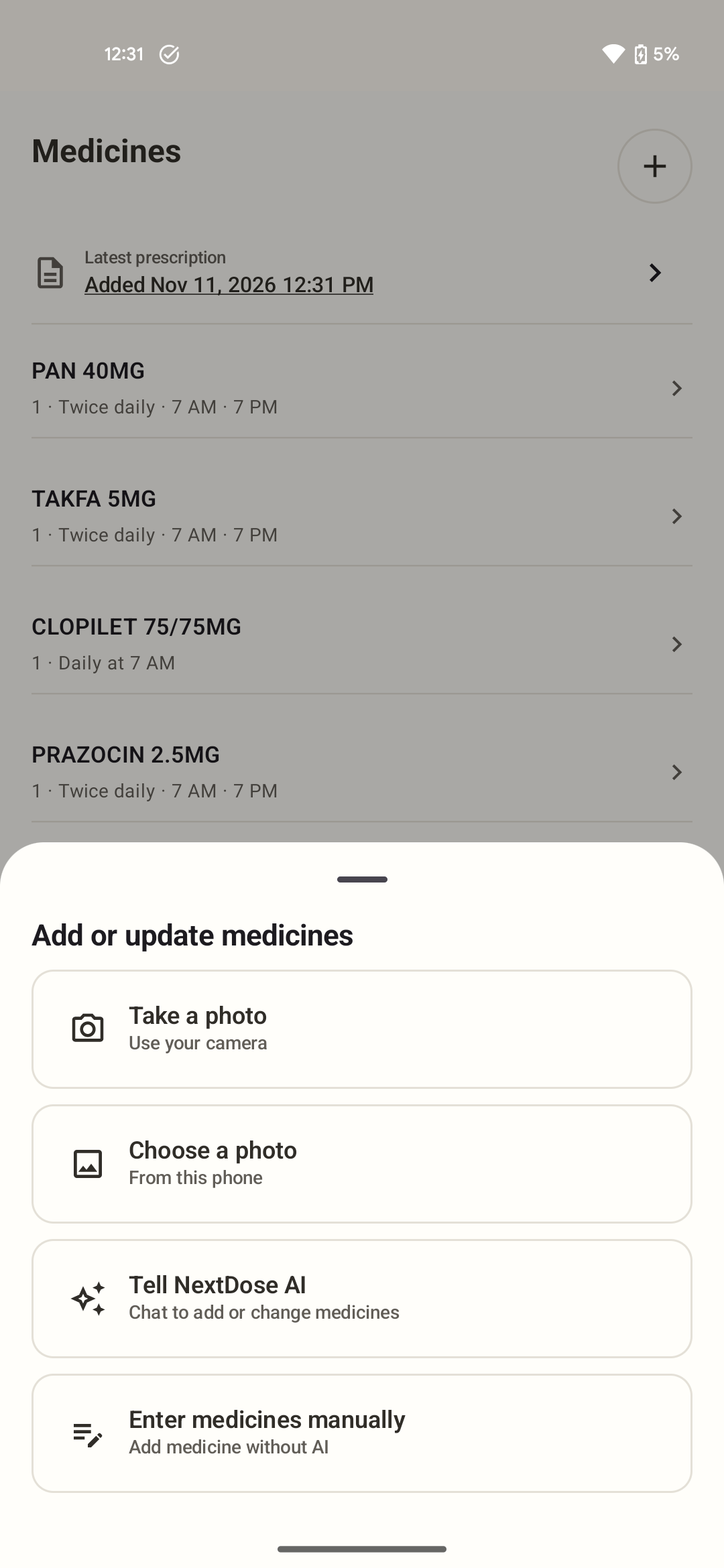
You check and confirm every plan before reminders begin. Screens show example entries.
Switching from Medisafe?
Use your current prescription to set up NextDose, then check the medicines and reminder times before you confirm. Your old Medisafe history won't transfer automatically.
NextDose focuses on your personal medicine reminders. If caregiver alerts or health measurements are essential to you, check those needs before switching.
Medisafe's help centre describes its move to a subscription outside the US. Check the offer in your country. If you're looking for free personal reminders that start with a prescription photo, try NextDose. Both apps are ad-free.
NextDose requires Google sign-in. When you use photo reading or message-based edits, the information you submit goes to NextDose's service and Google Gemini for processing. Manual entry is available. Read the privacy policy.