Taking medicine every day? Keep the routine out of your head.
If you take medicine every day, remembering the time is only part of the job. You also need to know what is due and what you already recorded. NextDose puts your confirmed daily schedule, Android reminders and today’s Taken records in one place.
The alarm rang. Then the day happened.
You are getting ready to leave when the reminder sounds. Someone calls, a delivery arrives, or work needs an answer. Later, you remember hearing the alarm. You cannot remember what happened next.
That is the gap between an alert and a record. Silencing an alarm says you heard it. Recording a dose says you took it.
NextDose is built around that distinction: a named medicine, the daily times you confirmed, and a Taken action for the occurrence. You do not have to reconstruct the whole morning from memory.
What a day with NextDose looks like
See the plan you confirmed
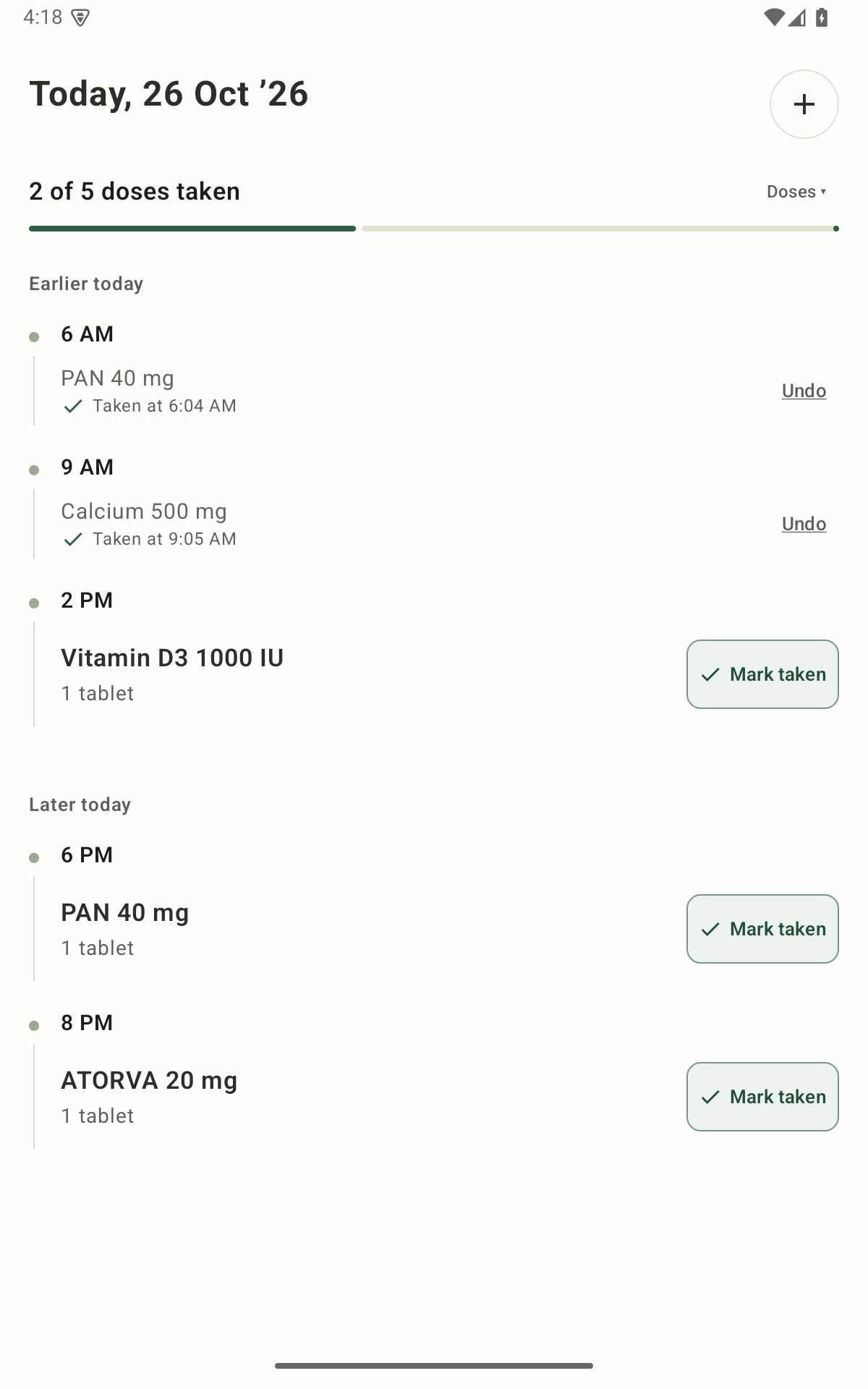
Open Today to see the medicines and daily times in your saved plan. One medicine can have more than one daily time; you do not need to create a separate medicine entry for each reminder.
Get an alert tied to the medicine
At a confirmed time, NextDose alerts you with a familiar alarm sound. Full-screen reminders depend on Android permissions and device state; an unlocked phone may show a banner instead.
Record what happened
After taking the dose, use I took it on the reminder, or mark it Taken in the app. Where available, Remind in 10 min asks for another alert without recording the dose as Taken.
Check the record later
Today shows the Taken state and recorded time. If you marked something by mistake, use Undo. A missing Taken entry means it was not recorded; it cannot prove whether you took the medicine.
Start with your prescription, then check the details
Install NextDose and sign in with Google. Add a photo of your current prescription, review the AI-generated draft against the original, correct anything that is wrong, then confirm and save. You can also enter medicines manually without using AI.
Check every name, strength, dose quantity, daily time and course end date before confirming. Complete Android’s notification and alarm-access prompts, then open Today to check the saved plan. The prescription setup guide walks through each screen.
If your clinician changes the prescription, update and review the existing plan. An old reminder should not keep running beside its replacement.
Is this the right fit for your routine?
A good fit: you manage your own daily medicines, want reminders without ads, and want a record you can check during the day. It can be useful for one medicine as well as several.
Check the schedule first: NextDose supports multiple daily times, weekly and alternate-day schedules, and end dates. Confirm that the saved pattern and times match your prescription.
NextDose does not decide what to take, monitor another person’s medicines, or replace advice about an uncertain dose. Today is a record of actions entered in the app, not independent proof of medicine intake.
Give your daily medicines a place in your day.
Add your current plan, check it yourself, and let NextDose handle the reminders. Free and ad-free on Android.
Get NextDose on Google Play (opens in a new tab)