NextDose vs Pillo: prescription setup without ads
Start with the prescription you already have. NextDose turns a photo into a draft you check, then into daily medicine reminders. It is free and ad-free. Pillo’s Android listing includes ads and optional paid ad removal. [1]
Why choose NextDose over Pillo?
Start with a photo instead of a blank medicine form
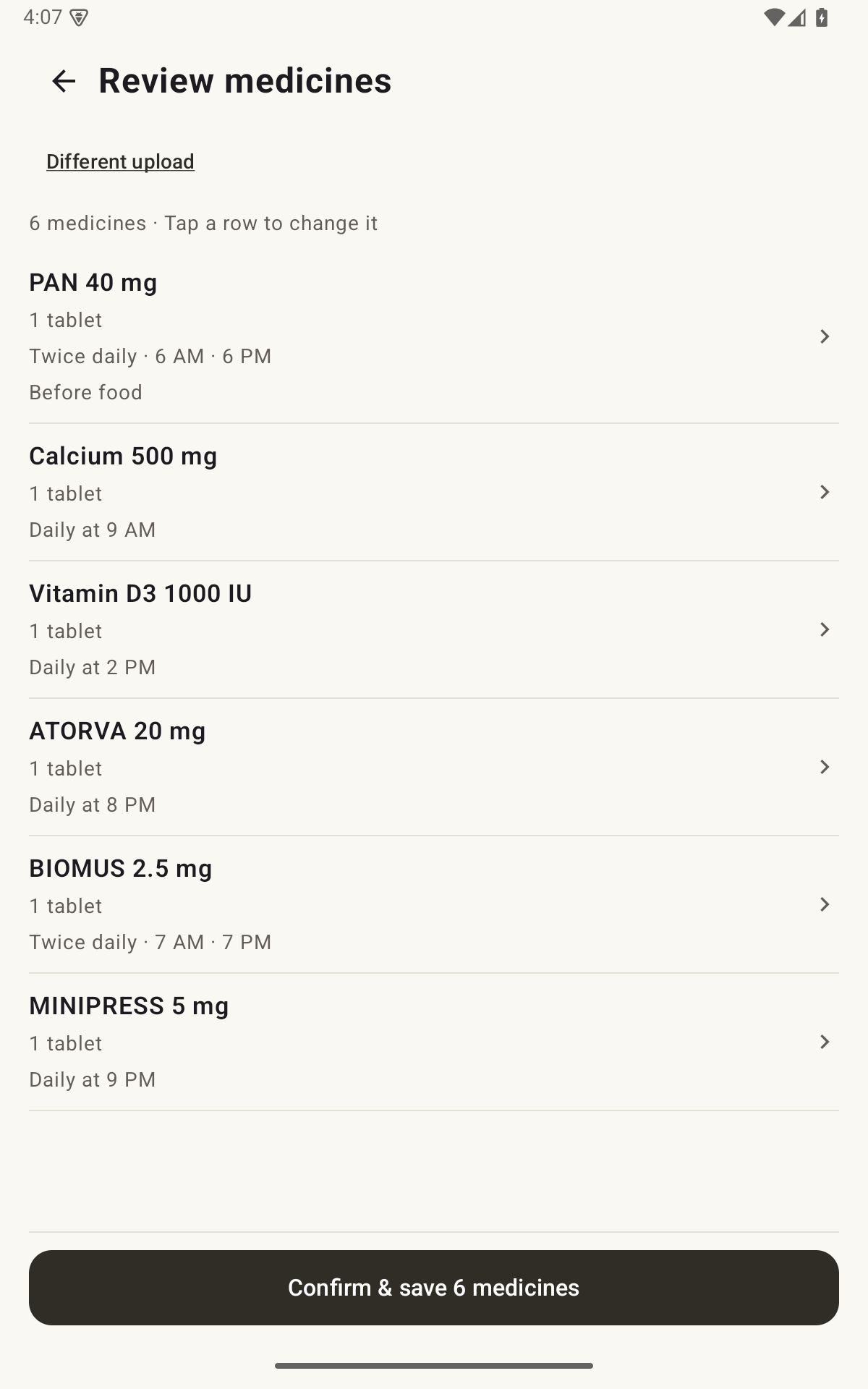
If you already have a prescription, NextDose lets you use it as the starting point. Photograph it, check the extracted names and instructions, correct anything wrong, and confirm the daily reminders. You can review a draft rather than begin by typing every field yourself.
That is a concrete reason to choose NextDose if setting up several daily medicines is the work you want help with. You remain responsible for checking every AI-extracted detail.
Get an ad-free routine without paying to remove ads
NextDose is free, has no ads and sends no promotional notifications. Pillo offers free core features, but its Android listing declares ads and optional paid ad removal. If ad-free use is a deciding factor, NextDose gives you that without an ad-removal purchase. [1]
See how prescription setup works in NextDose
Sign up and add the prescription
Sign in with Google, then take or choose a readable prescription photo. Manual entry is also available.
Check the draft against the source
Open each medicine. Check its name, strength, dose, daily times, instructions and any end date. Correct errors before confirming.
Confirm the plan and enable alerts
Save the reviewed plan and complete Android’s notification and alarm-access prompts. An unread or unconfirmed draft does not become a live reminder plan.
Record the dose after taking it
Use Today to see what is due and what you marked Taken. Use Snooze for another alert when available.
Follow the complete prescription setup guide.
NextDose and Pillo: the details compared
| What matters | NextDose | Pillo |
|---|---|---|
| Setup | Sign in with Google; add a prescription photo or enter manually; review and confirm before activation. | Medication entries hold dosage details, schedules and notes. The reviewed sources do not establish a prescription-photo-to-confirmed-plan workflow. [1] |
| Ads and price | Free and ad-free; no promotional notifications. | Free core features; Play labels ads and in-app purchases. Optional premium and ad removal are listed. Check in-app prices. [1] |
| Tracking | Today timeline with Taken records and recorded times; Undo for accidental entries. | Dose history, stock/refill tracking and health measurements are listed. [1] |
| Alarm actions | Single-dose notification: I took it and Remind in 10 min when available; no separate Skip log. | Full-screen alarms, snooze options and taken/skipped dose recording are documented. [1] |
| Schedules | Multiple daily times, weekly and alternate-day schedules, and course end dates. | Daily, selected days, custom intervals and tapering are listed. Day-specific reminder times are explained in its FAQ. [1] [2] |
| Full-screen limits | Android permissions and device state affect delivery; unlocked phones may show a banner. | Its FAQ explains full-screen versus regular notifications and battery-optimisation settings. [2] |
Full-screen alarms and dose history are not unique to NextDose. A useful choice depends on the setup you prefer and whether the app can represent your actual instructions.
Who should choose which?
Choose NextDose for an ad-free prescription routine
You want help turning an existing prescription into reminders, want to check the draft before it starts, and do not want ads or promotional notifications. Your plan can include multiple daily times, weekly or alternate-day schedules, and a course end date.
When Pillo may fit better
You need the schedule patterns, refill tools or health tracking its official materials describe. Its site also describes family/caregiver features; check availability and paid-plan boundaries inside the app. Pillo’s feature overview.
Try the reminder style on your own phone before relying on it. This is a comparison of documented features, not a test proving that either app delivers more reliable alarms or better health outcomes.
Sources and comparison limits
Published by Nuviro Labs, the maker of NextDose. Official sources checked on 28 October 2026. We reviewed the public materials below; we did not run a side-by-side device test. Prices and feature availability can change.
- Pillo’s official Android listing: alarms, actions, schedules, tracking, ads and optional purchases.
- Pillo’s official FAQ: reminder types, day-specific times and device settings.
- Pillo’s official website: wider feature set.
- NextDose’s live Google Play listing: prescription setup, confirmation, daily records and reminder limitations.
Store ads labels describe the app overall; they do not establish where or how often ads appear. We have not measured setup speed or claimed better alarm reliability. A prescription workflow not found in these sources is unverified, rather than proven absent.
Your prescription. Daily reminders. No ads.
Start with a photo, check the draft and confirm your medicines. NextDose is free and ad-free.
Get NextDose on Google Play (opens in a new tab)